Using AI Assistants to Boost Your Daily Productivity
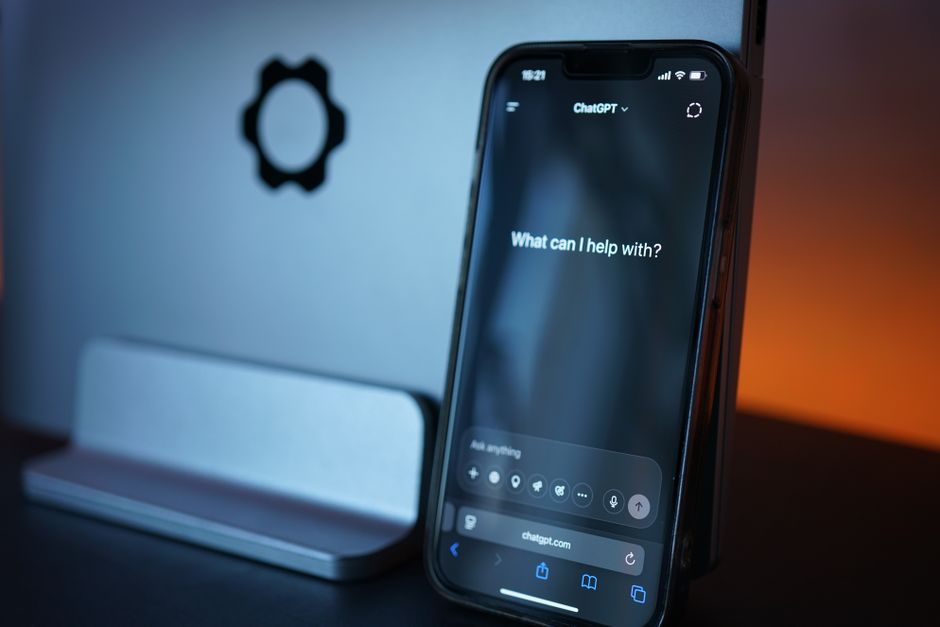
In the modern workplace, the integration of artificial intelligence into daily routines has become increasingly prevalent. AI assistants, once a novelty, are now sophisticated tools capable of handling a wide array of tasks, from managing calendars to composing correspondence. This article examines how AI assistants can be leveraged to enhance productivity, focusing on automation of scheduling, email drafting, and research. We will explore real-life usage examples to illustrate the practical applications of these technologies.
The concept of productivity is not merely about doing more in less time; it involves optimizing workflows and reducing cognitive load. AI assistants contribute to this by taking over repetitive and time-consuming activities, allowing individuals to concentrate on higher-order thinking and strategic planning. By understanding the capabilities and limitations of different AI assistants, users can make informed decisions about integrating them into their personal and professional lives.
The Role of AI Assistants in Scheduling
Scheduling meetings and managing calendars is a task that often involves significant back-and-forth communication. AI assistants can streamline this process by automatically finding suitable times for all participants, sending invitations, and even rescheduling when necessary. For instance, an AI assistant might analyze your calendar and propose meeting slots that avoid conflicts and respect time zones. This reduces the administrative burden on individuals and minimizes the risk of human error in coordination.
Real-life examples include tools that integrate with email platforms to detect potential meeting times from email threads. When an email thread indicates a need for a meeting, the AI assistant can suggest times and proactively schedule the meeting without further input. Additionally, AI assistants can prioritize meetings based on importance and can adjust schedules dynamically if urgent matters arise. This level of automation requires careful configuration to align with user preferences and organizational policies, as the assistant must learn individual scheduling habits over time.
It is important to note that while AI assistants handle the logistics, human oversight remains essential. Users should review proposed changes to ensure they align with their priorities. Moreover, the effectiveness of scheduling automation depends on the integration of the assistant with existing calendar systems and the willingness of all participants to collaborate with the assistant. When implemented thoughtfully, AI scheduling can significantly reduce the time spent on coordination, allowing for more focused work periods.
Email Drafting and Inbox Management
Email continues to be a primary mode of communication in professional settings, but it can become a source of distraction and inefficiency. AI assistants offer features that automate email drafting, such as generating responses based on the content of received messages. By analyzing the tone and context of emails, the assistant can propose replies that are appropriate and contextually relevant. This is particularly useful for routine correspondence, such as acknowledging receipts, scheduling confirmations, or answering frequently asked questions.
Beyond drafting, AI assistants can help manage the inbox by categorizing emails, flagging urgent messages, and summarizing lengthy threads. For example, an assistant might condense a long exchange into a brief summary, enabling the user to grasp the essential points without reading every message. This functionality aids in prioritizing email handling and ensures that critical communications are not overlooked. However, it is crucial to recognize that AI-generated drafts are starting points; they often require personalization to reflect the user’s voice and incorporate specific nuances. Users can refine drafts, and the assistant can learn from these edits to improve future suggestions.
In practice, adopting AI for email management requires a level of trust in the system’s judgment. Users must be willing to delegate certain responses to the assistant, understanding that the assistant follows patterns and may not fully capture subtle emotional cues. Nonetheless, the time saved by automating routine email tasks can be substantial, allowing individuals to dedicate their attention to more complex and meaningful conversations.
Research Automation and Information Synthesis
Research is a fundamental component of many professions, but it can be labor-intensive and time-consuming. AI assistants are capable of automating parts of the research process, including gathering information from various sources, summarizing articles, and even comparing data. By utilizing natural language processing, assistants can parse large volumes of text and extract key points, presenting them in a structured format.
For instance, an AI assistant could be asked to investigate a specific topic and provide a concise overview with citations. This involves searching through databases, academic journals, and reputable websites, then synthesizing the findings into a coherent narrative. Such a capability is especially beneficial for professionals who need to stay updated on industry trends but lack the time to read extensive reports. Real-life examples include law firms using AI to review case law, and marketing teams using AI to analyze competitor content.
However, it is essential to approach AI-generated research with critical evaluation. The accuracy and reliability of information are contingent on the sources accessed and the assistant’s algorithms. Users must verify facts and consider the context of the information provided. AI assistants can serve as accelerators in the research phase, but the final interpretation and decision-making rest with the user. The balance between automation and human oversight is key to maximizing the benefits while mitigating risks.
Integration into Daily Workflows: Real-Life Scenarios
To illustrate the practical impact of AI assistants on daily productivity, consider a scenario where a project manager uses an AI assistant to coordinate tasks and communications. The assistant manages the manager’s calendar, schedules team meetings based on availability, and drafts summaries of action items after discussions. In addition, the assistant monitors email inboxes for project-related queries and generates draft responses, which the manager can review and send with minimal effort.
Another example is an academic researcher who utilizes an AI assistant to conduct literature reviews. The assistant scans databases for recent papers, extracts relevant methodologies and findings, and organizes them into a bibliography. This process, which might have taken days, can be accomplished in hours, enabling the researcher to focus on writing and analysis. These cases demonstrate how AI assistants can be customized to specific domains and integrated into existing workflows.
The adoption of AI assistants is not without challenges. There are learning curves associated with configuring the assistants to meet individual needs, and privacy concerns must be addressed, particularly when handling sensitive information. Additionally, technical issues such as software compatibility and data security need to be managed. Nonetheless, as these technologies evolve, they present opportunities for substantial improvements in personal and organizational productivity.
Best Practices for Effective Use of AI Assistants
To maximize the benefits of AI assistants while mitigating potential drawbacks, several best practices can be considered. First, it is advisable to start with a clear definition of tasks that are suitable for automation. Routine, well-defined activities such as scheduling and email sorting are ideal candidates, whereas tasks requiring nuanced judgment may be better handled manually. Second, regular training of the assistant improves accuracy. Many assistants have machine learning capabilities that adapt to user preferences over time, so consistent feedback is crucial.
Third, maintaining a human-in-the-loop approach ensures that AI outputs are reviewed and validated. This is particularly important in contexts where errors could have significant consequences, such as financial reporting or medical communications. Fourth, transparency about AI usage can build trust among team members and stakeholders. If an assistant is involved in drafting messages or generating reports, it may be appropriate to disclose that AI was used, depending on the context.
Finally, it is important to stay informed about the capabilities and limitations of AI assistants. As technology advances, new features become available, and old ones may become obsolete. Continuous learning and adaptation are integral to leveraging AI effectively. By adhering to these practices, individuals and organizations can harness the power of AI assistants to enhance their daily productivity, while remaining cognizant of the need for human oversight and ethical considerations.